
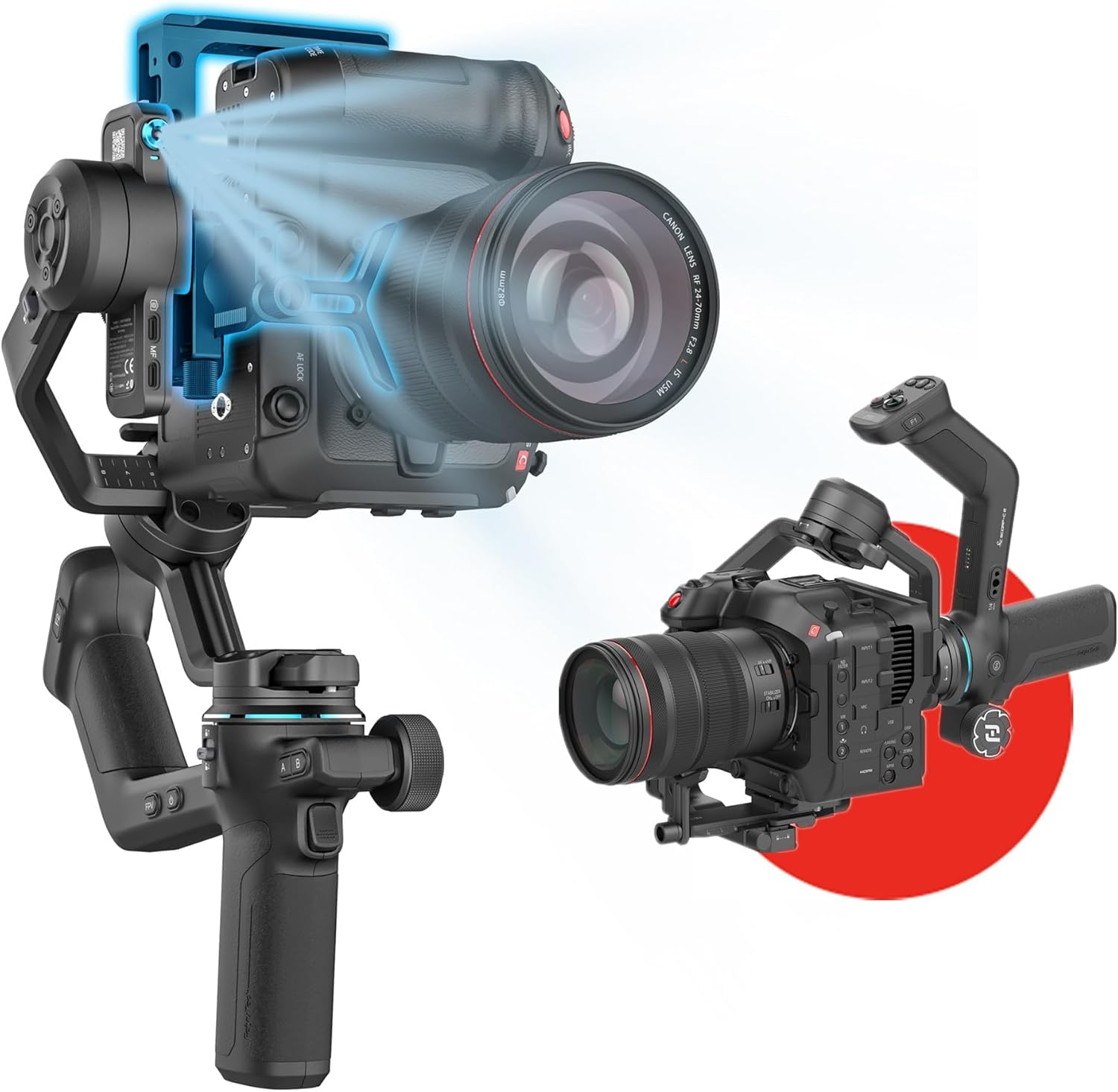
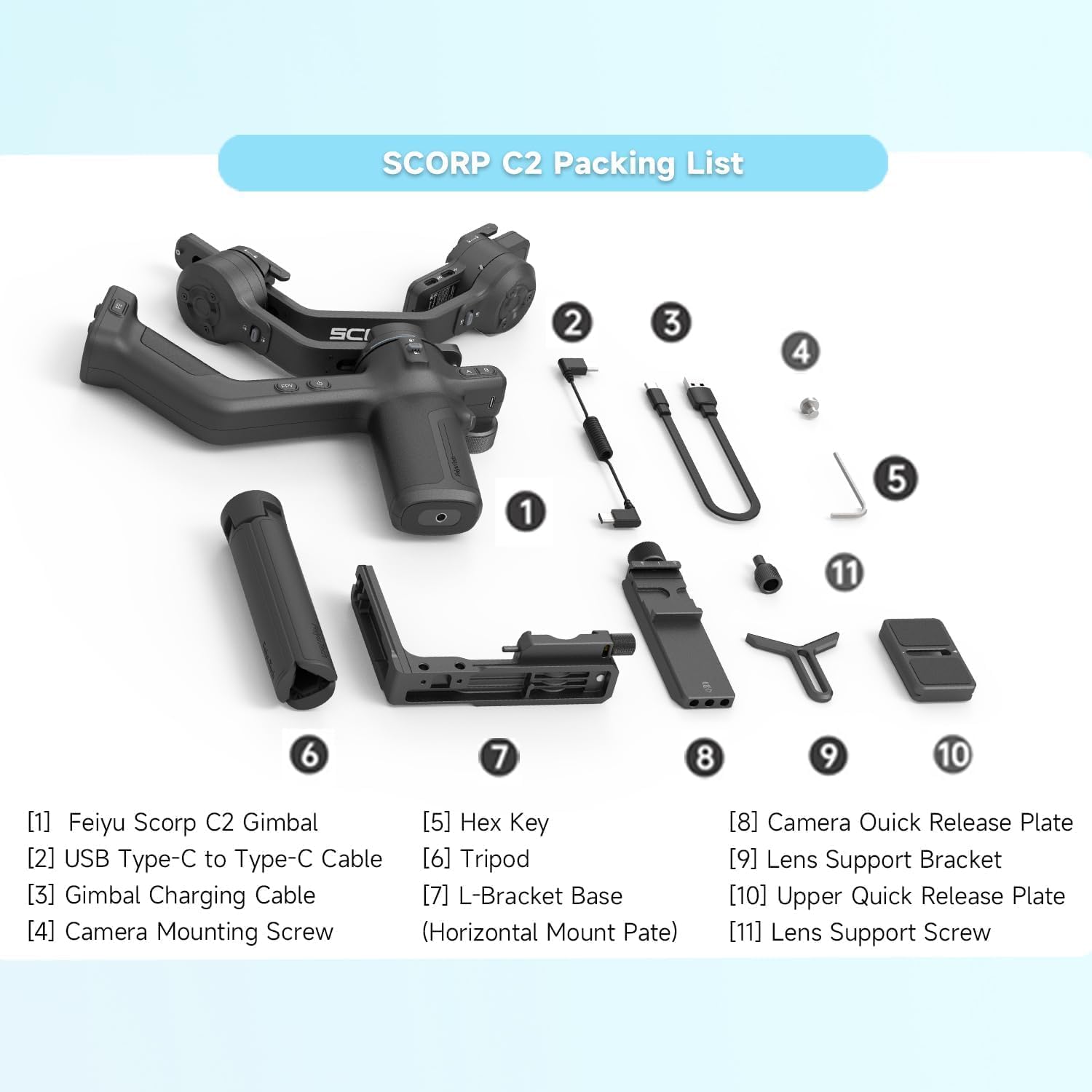
FeiyuTech SCORP-C2 Professional Camera Gimbal Stabilizer, Built-in AI Face/Object Tracking, 3.5kg/7.72lbs Load, Native Vertical Video for YouTube TikTok, for Sony A7, Canon EOS R, Nikon Z Mirrorless
$211.65
Related Products


Price: $211.65
(as of Jan 25, 2026 03:32:59 UTC – Details)
Product description
Feiyu SCORP-C2 Gimbal Stabilizer, Built-in AI Tracking, Native Vertical Shooting
The video showcases the product in use.The video guides you through product setup.The video compares multiple products.The video shows the product being unpacked. Feiyu SCORP-C2 Gimbal Stabilizer Merchant Video
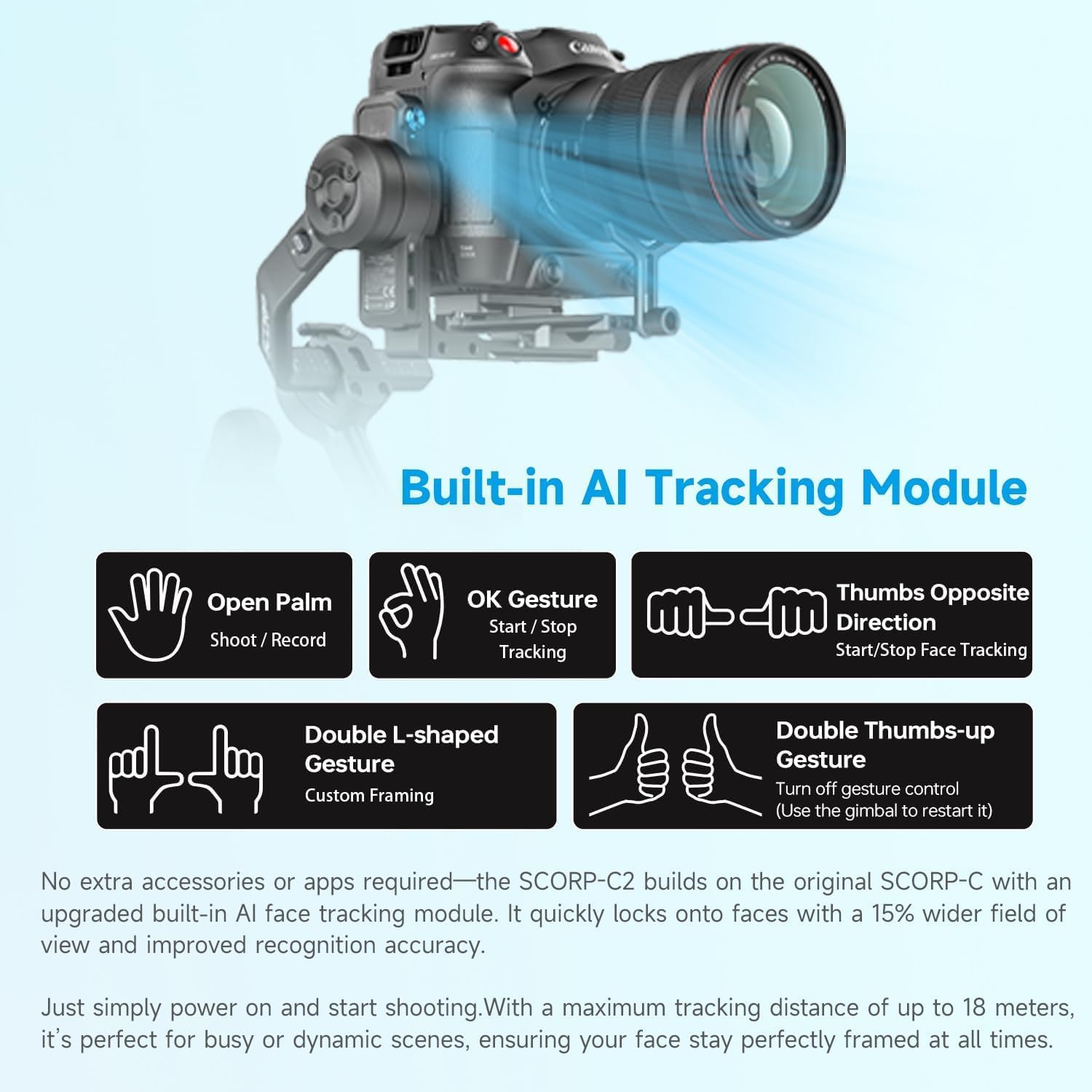
The video showcases the product in use.The video guides you through product setup.The video compares multiple products.The video shows the product being unpacked. AI TRACKING 4.0, SMARTER FOLLOWING, BETTER SHOTS Merchant Video
AI TRACKING 4.0, SMARTER FOLLOWING, BETTER SHOTS
Built-in AI tracking module ensures fast and accurate subject tracking,keeping every moment in focus.
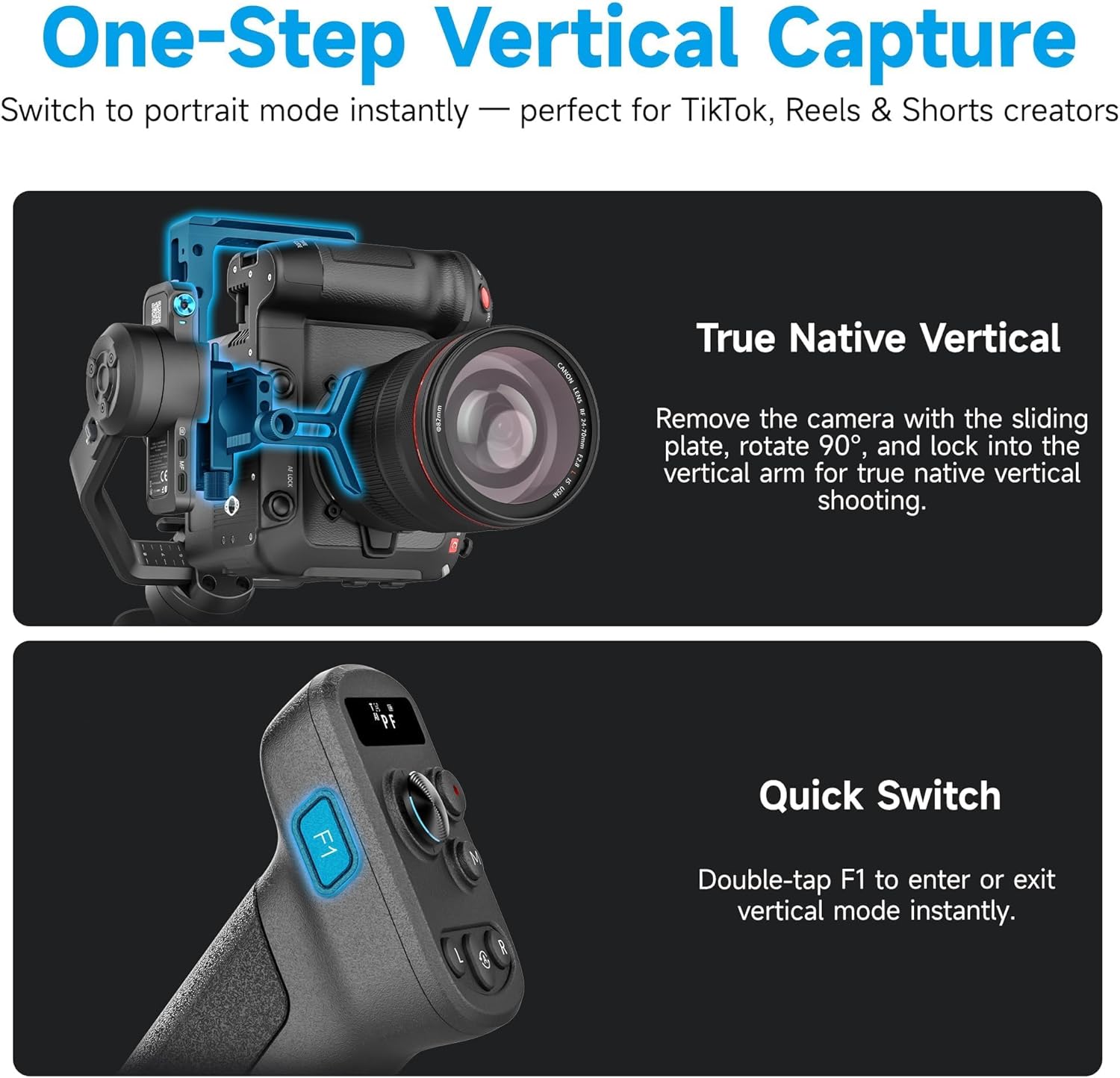
The video showcases the product in use.The video guides you through product setup.The video compares multiple products.The video shows the product being unpacked. Fast Vertical Shooting, No Extra Tools Merchant Video
Fast Vertical Shooting, No Extra Tools
Thanks to its modular design, the camera and mounting slider can be removed and rotated 90°, then quickly secured into the vertical arm. enabling native vertical shooting in one smooth motion. Perfect for creating social media content without the need for extra accessories.
Plus, the precision tilt-axis adjustment knob allows for millimeter-level fine-tuning, giving you perfect balance for every shot.
The video showcases the product in use.The video guides you through product setup.The video compares multiple products.The video shows the product being unpacked. Integrated Sling Handle for Versatile Shooting Merchant Video
Integrated Sling Handle for Versatile Shooting
No need for extra accessories — the SCORP-C2 features an integrated sling-style handle that fits naturally in your palm. Switch angles on the fly for low-angle shots, creative tracking, or high-angle moves with ease. The ergonomic design reduces fatigue and gives you greater freedom of movement for smooth, cinematic control in any shooting scenario.
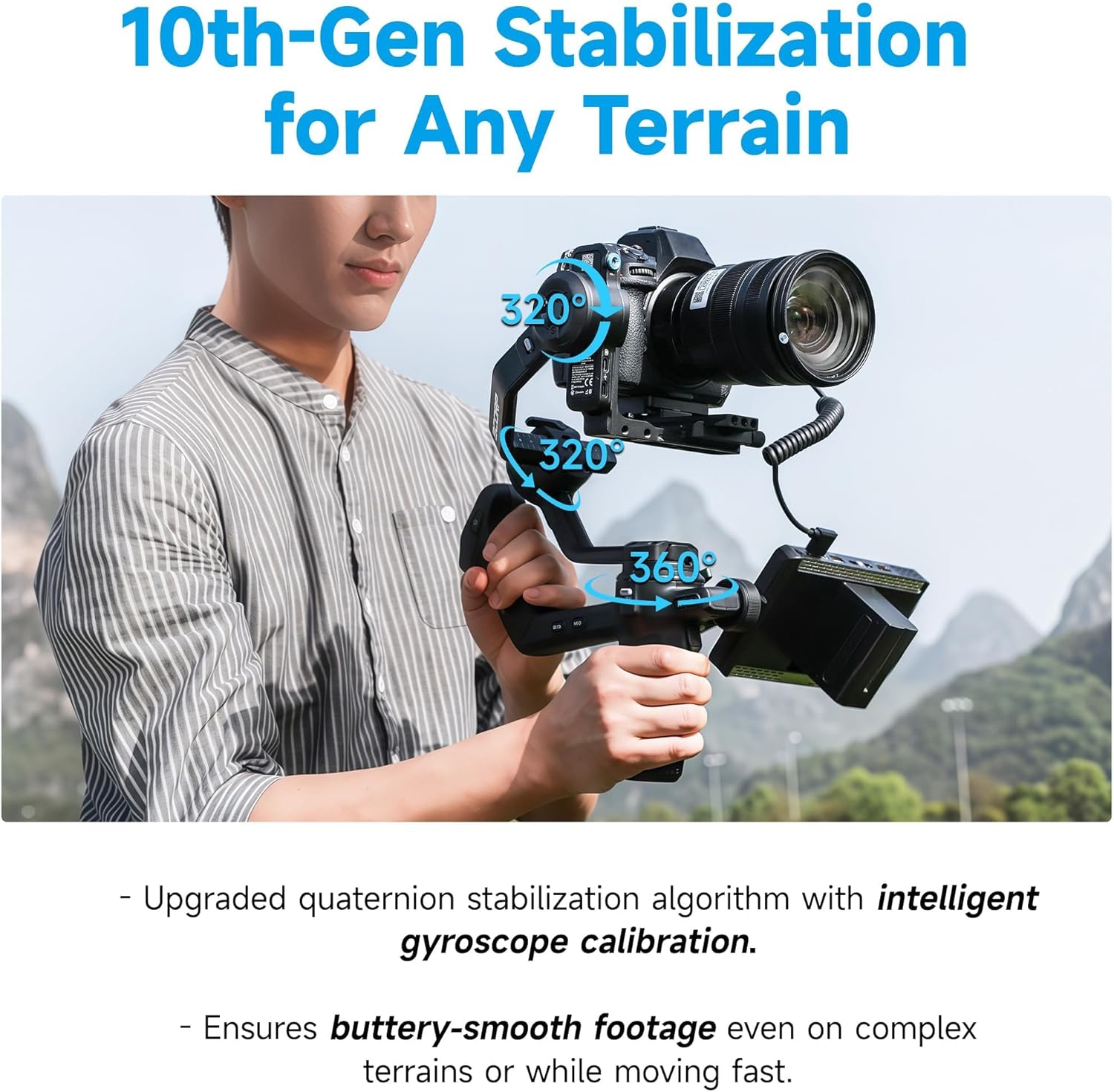
 THE 10TH GENERATION STABILIZATION SYSTEM
Powered by FeiyuTech’s self-developed 2025 Quaternion Stabilization Algorithm, with intelligent gyroscope calibration, ensuring smooth footage even on complex terrain


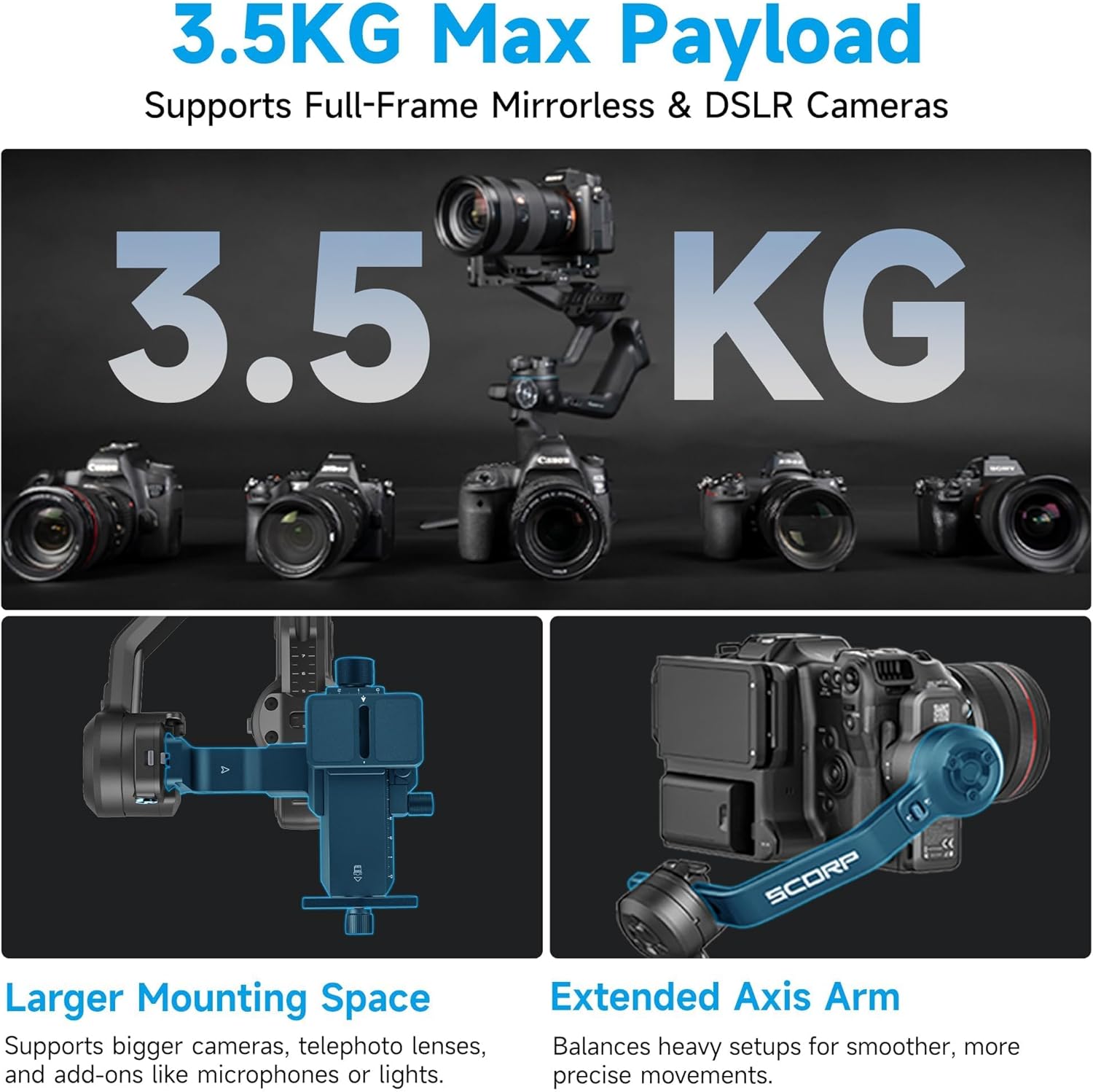
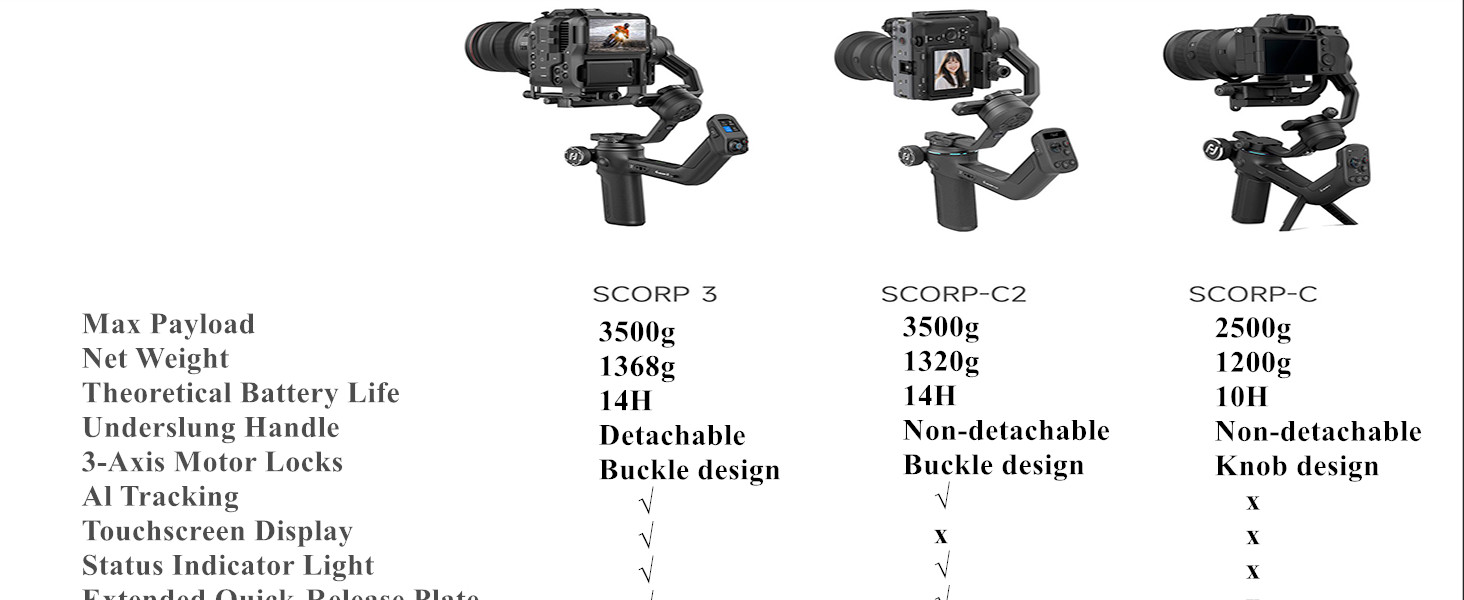
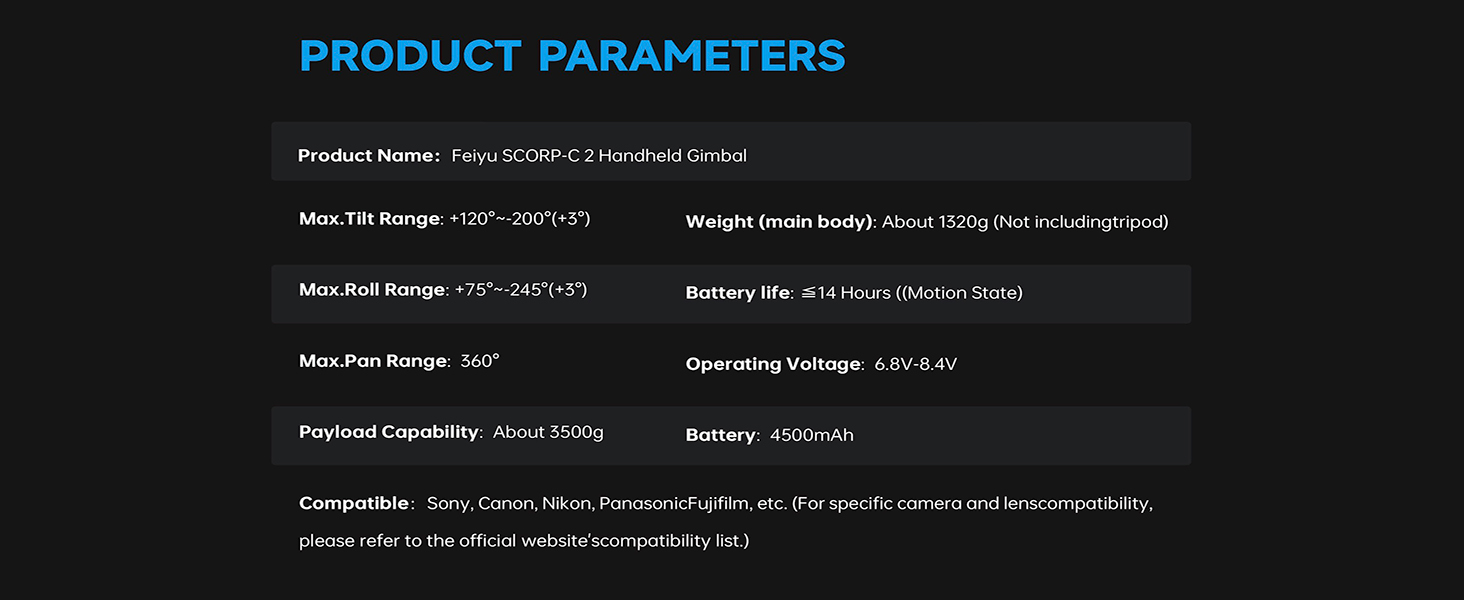
1 Powerful 3.5KG payload
2 Gesture Control
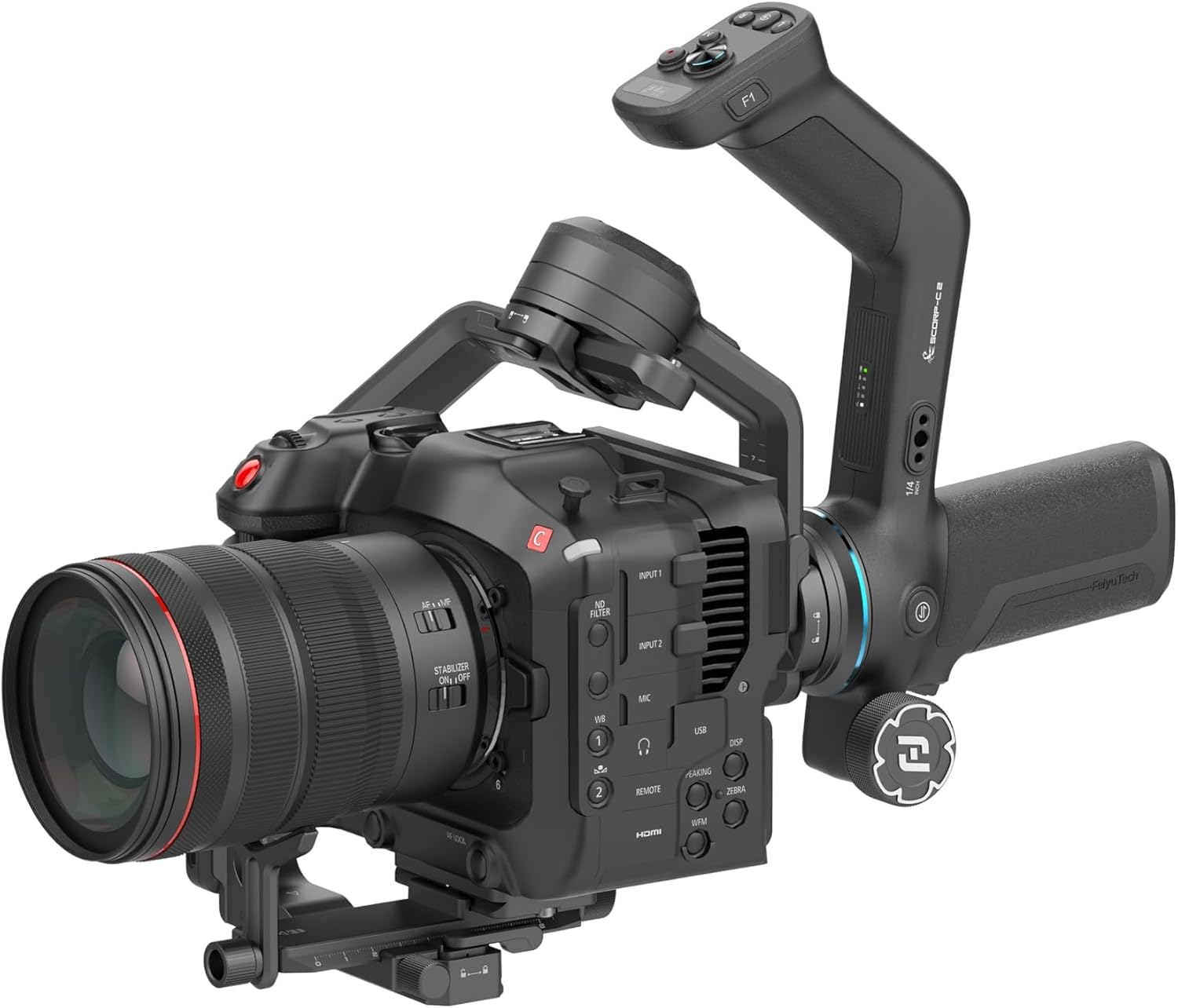
3 Open Mounting Platform
4 Built-in OLED
5 Versatile Buttons
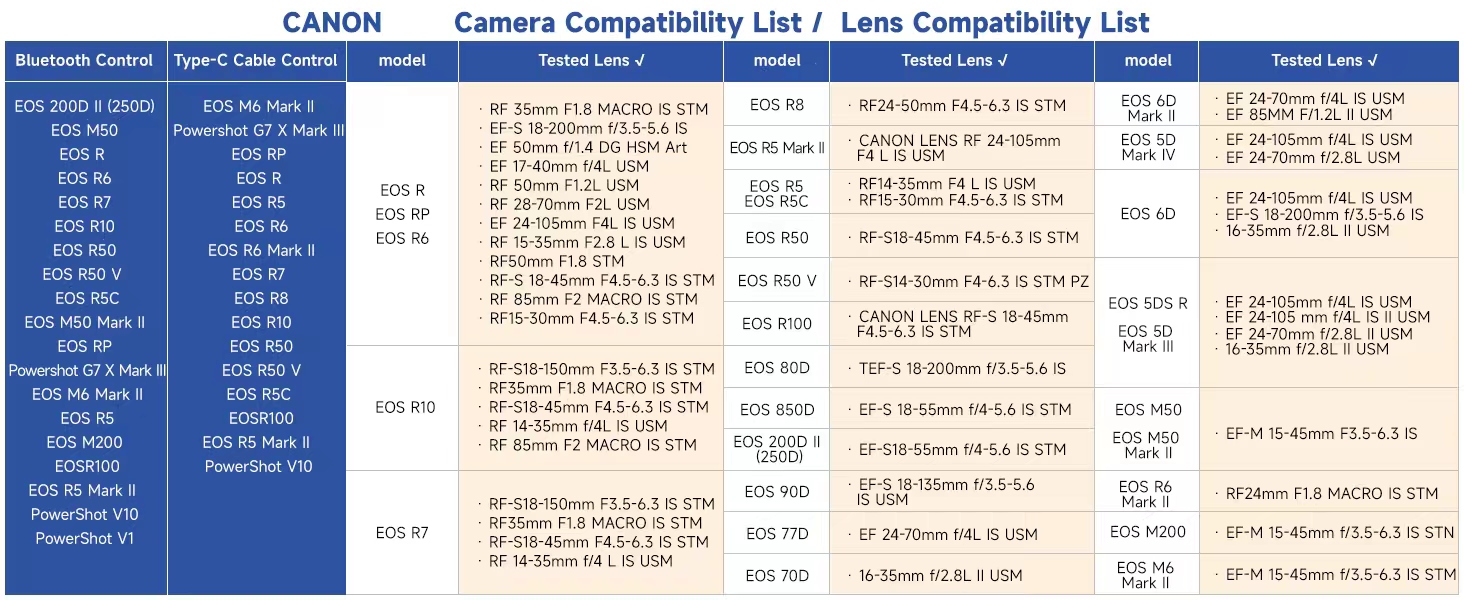
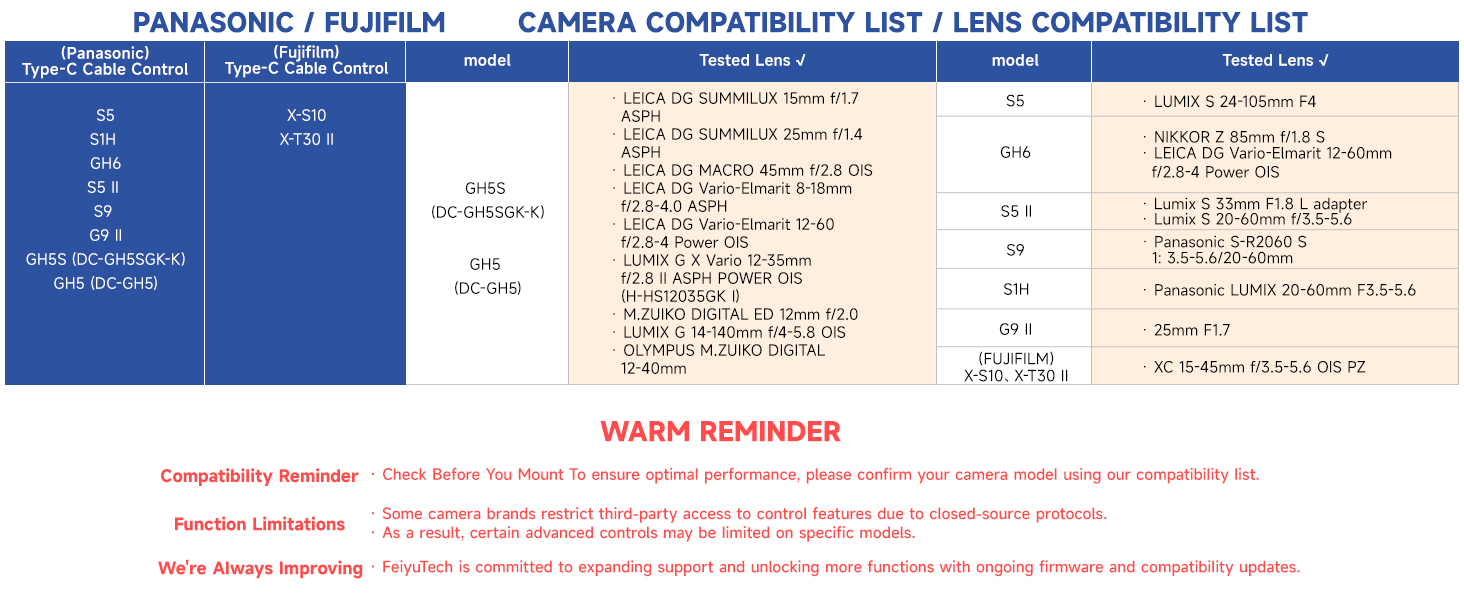
 Fast Bluetooth Control
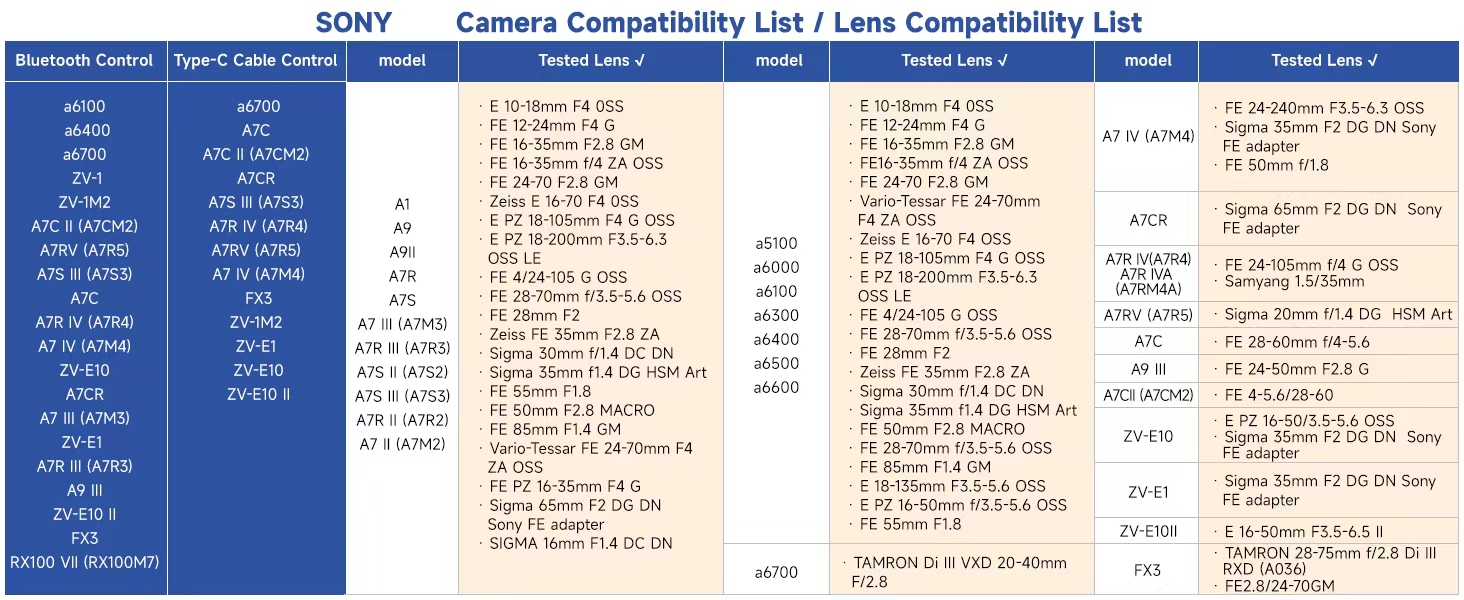
Pair your Sony,Canon,Nikon DSLR mirrorless cameras via Bluetooth. Start recording or trigger focus instantly with a single press of the shutter button
 3-Axis Buckle Lock Design
All three axis locks upgraded from knob-style to quick buckle design for faster balancing and storage
 A/B Point Trajectory Memory
Preset two points (A and B) for camera movement paths with customizable speed, angle, and dwell time.
 Electric Multifunction Knob
Magnetic sensor . Enables precise control over axis rotation, followfocus, or zoom-delivering a smooth and professional handling experience





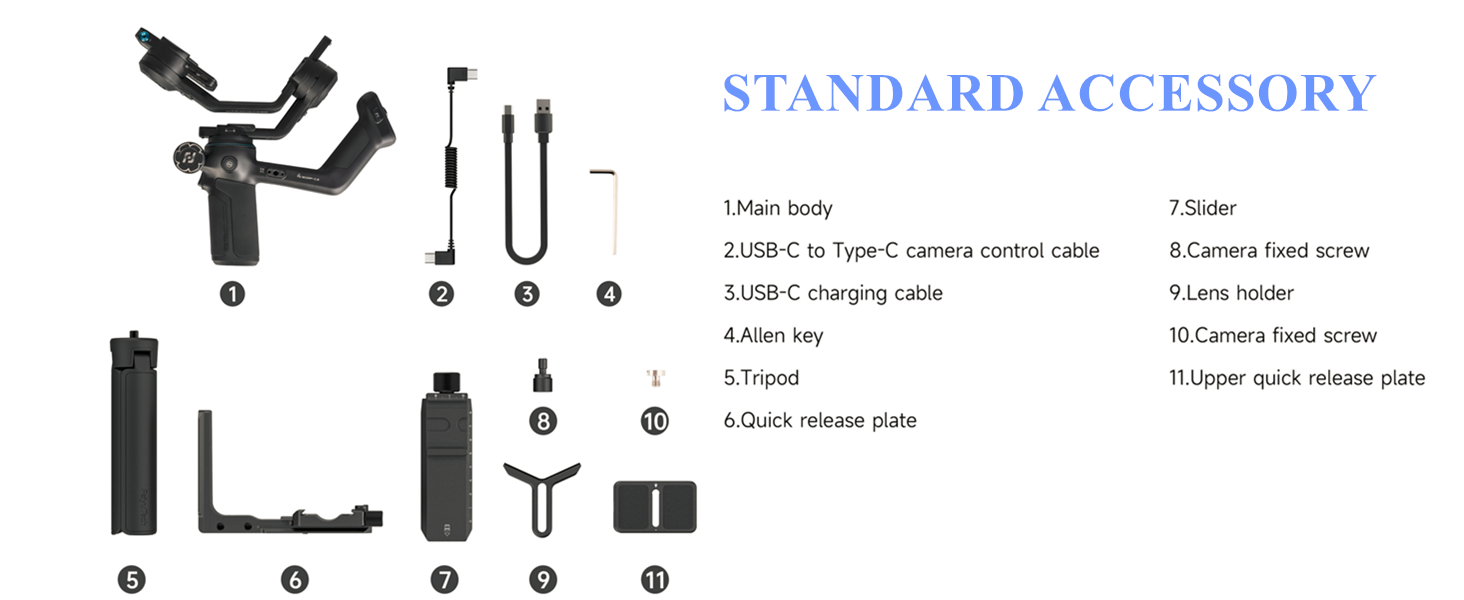
What should I do if AI tracking doesn’t respond when trying to activate it?
1) Restart AI or the gimbal: Turn the AI Power option OFF and ON again, or restart the gimbal.
2) Check tracking mode: Make sure the gimbal is currently in AI tracking mode. If not, switch back to AI tracking mode.
How to unpair the phone’s Bluetooth connection and the handle’s wireless connection with the gimbal?
Push the joystick downwards and triple-tap the power button on the remote handle simultaneously. Then restart the gimbal.
Note: After unpairing the gimbal’s Bluetooth, you also need to manually delete the pairing record on your phone
What should I do if the gimbal axis rotates automatically?
Method : First, switch to a non-FPV mode. Then swipe from right to left on the main screen, select Gimbal Settings > Horizontal Calibration > Auto Calibration. Let it stand still for a few seconds to complete calibration.
What to do if the gimbal motors don’t work after powering on?
1) Ensure the three motor locks on the gimbal are unlocked and all three axes are correctly balanced.
2) Attach the Remote Handle properly to the gimbal and quintuple-tap the M button on the handle for auto-calibration.
What do the screen prompts E2~E5 mean?
E2 indicates handle idling protection.
E3 indicates overload protection.
E4 indicates gimbal vibration.
E5 indicates gimbal internal error (including initialization failure, firmware mismatch).
Built-In AI Tracking 4.0 on the SCORP-C2 Camera Gimbal : The FeiyuTech SCORP-C2 Gimbal Stabilizer features upgraded, app-free AI tracking. This camera stabilizer automatically follows your subject, making it the ultimate tool for solo vloggers
Seamless Vertical Shooting with This Camera Gimbal : Switch between horizontal and native vertical shooting instantly. This gimbal stabilizer for camerasis designed for full-resolution social media content, requiring no extra accessories
7.7lb Payload for Pro Gear on the SCORP-C2 : Engineered with high-torque motors, the SCORP-C2 Camera Stabilizer handles up to 7.7 lbs. It’s compatible with full-frame cameras, making it a reliable gimbal for professional photography
Integrated Control Hub: OLED Screen & Magic Wheel : This FeiyuTech camera gimbal features a built-in OLED screen and a multi-function Magic Wheel for precise control over focus and zoom, offering a professional handling experience
Expand Your Creative Ecosystem with the SCORP-C2 : The SCORP-C2 Camera Gimbal’s open platform supports monitors, fill lights, and more. Build a custom, professional rig for any shooting scenario with this versatile gimbal stabilizer
User Reviews
Be the first to review “FeiyuTech SCORP-C2 Professional Camera Gimbal Stabilizer, Built-in AI Face/Object Tracking, 3.5kg/7.72lbs Load, Native Vertical Video for YouTube TikTok, for Sony A7, Canon EOS R, Nikon Z Mirrorless”

$211.65
There are no reviews yet.